3D character maker
Make a 3D character from one picture.
Draw it, photograph it or describe it in a sentence. Bake3D turns it into a textured 3D character, gives it a skeleton that fits its body and moves it the way you describe. Animals, robots, monsters and people all work.
Free demo, free readiness check, bake from $5. Failed bakes are refunded automatically.
65 credits for a rigged Standard character · 10 per described motion · ready motions free · GLB and FBX
Maintained by Bake3D · Updated
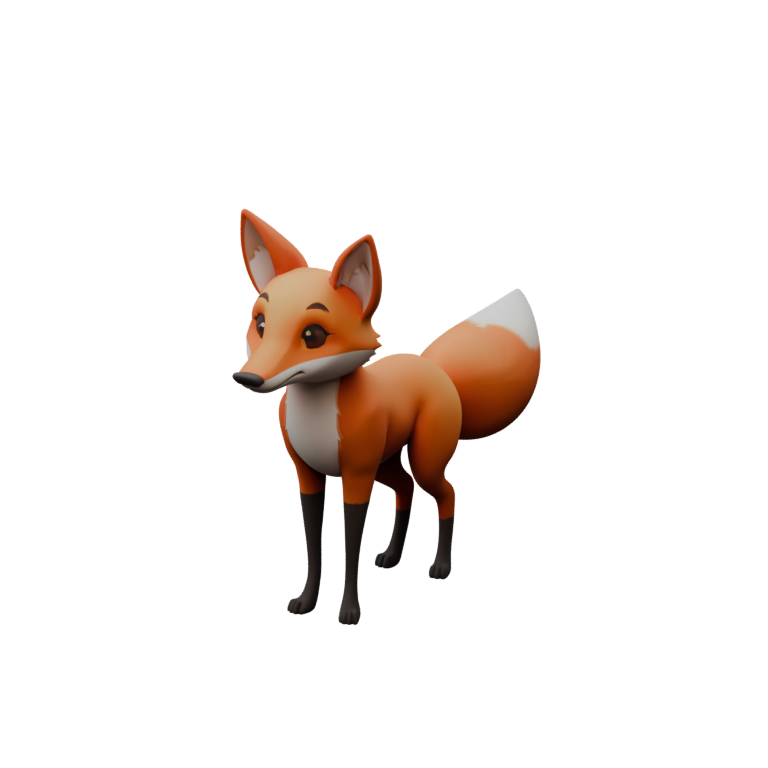
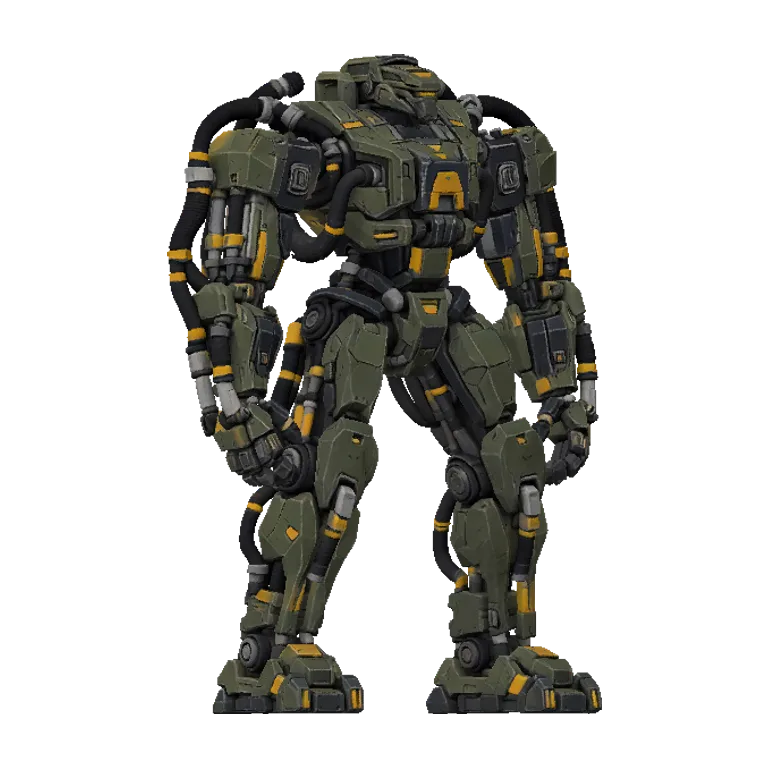
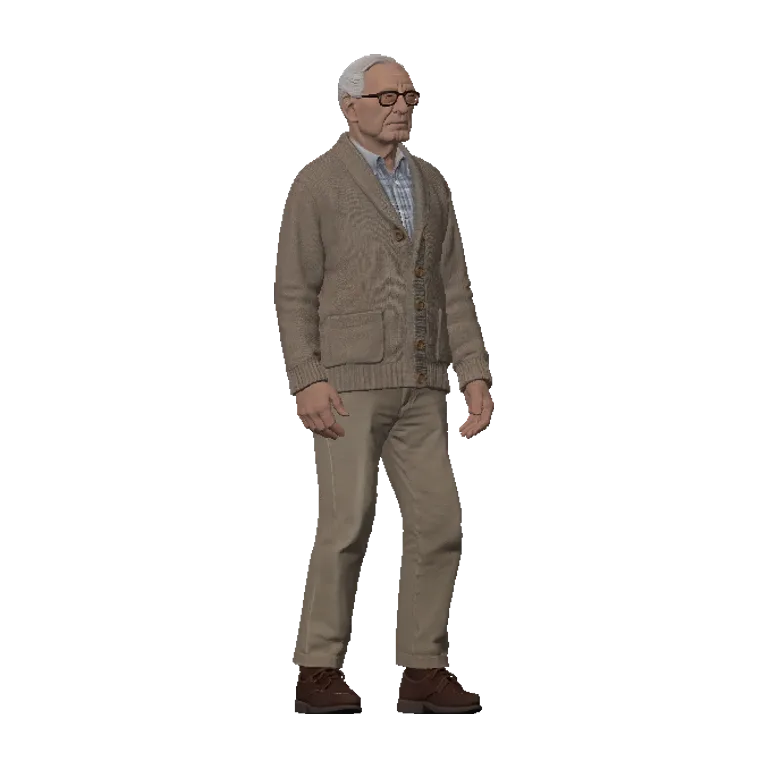
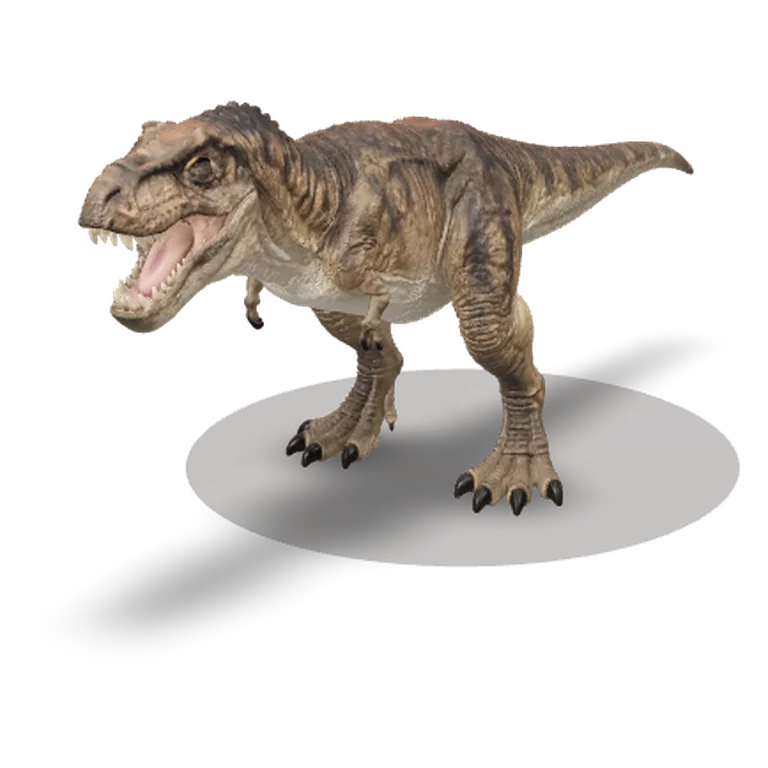
Tell a character what to do.
Bake3D made these four characters. Pick one and play its walk. Then type a motion of your own, like "shakes off water" or "takes a bow". The engine writes it for that body, usually in under a minute. A free account lets you direct 3 motions a day.
Four steps, from a picture to a moving character.
You see each step before you pay for the next one.
- 1
Bring a picture or a sentence
Use a drawing, a render or a photo. Show the whole body. No picture yet? Describe the character in a sentence instead.
What makes a good picture - 2
Check it for free
Bake3D looks at your picture. It tells you what it will build, which parts will move and the exact price. You get 3 free checks a day.
Free, no card needed - 3
Bake the model and the rig
Bake3D builds a textured 3D model. Then it puts joints where your character really bends, like legs, arms, wings, a tail or wheels. The skin is set up to bend with them.
65 credits at Standard - 4
Make it move, then export
Pick a ready motion such as a walk, or type what the character should do. Then download it for Blender, Unity, Unreal or Godot.
Engine guides
Not only people.
Some character tools start from a human template. That works for people. It breaks for a fox, a spider or a robot. Mixamo, for example, is made for two-legged human shapes. Bake3D has no fixed template. It looks at your model and plans a skeleton for the body it sees.
Each joint gets a job name, like head, tail, left front leg or wheel. Motions use those names, not a list of bone names. So "walk" moves four legs on a fox and two on a T. rex. The same request works on very different bodies.
The four characters in the demo above show this. The fox came from one picture. The robot came from a short text prompt in Spanish. The person came from a picture of an old man in an armchair, and Bake3D built him standing. The T. rex has two legs, small arms and a heavy tail, and its walk is fitted to its own legs.
We test the rig on many kinds of bodies before each release, including many-legged, winged, snake-like and wheeled ones. The validation notes list what the tests cover. One good character does not promise the same result for every picture. That is why the free check comes first.
How long it takes.
We measured real bakes on Bake3D from 24 September to 8 October 2026. Across 239 bakes, the typical character went from picture to finished rig in about 8 minutes. Half of them took between 5 and 11 minutes.
A described motion is faster. Across 121 of them, the typical one was ready in about 35 seconds. A long or tricky motion can take a minute or two, because the engine checks that arms and legs do not pass through the body.
A character you can use right away.
- Model
- Textured 3D model with PBR materials
- Seven views to compare with your picture
- Draft, Standard or High quality
- Rig
- A skeleton planned for its own body
- Skin weights checked as it bends
- Mixamo, Unity or Unreal bone names for human-shaped characters
- Motion
- A free four-second intro loop with the rig
- Described motions, 10 credits each
- Ready motions like walk and look around, free
- Export
- Rigged GLB with textures
- Animated GLB, or FBX with one clip per file
- STL or OBJ of a pose for 3D printing
There is no USD or VRM export. The skeleton is not a Roblox R15 or VRChat avatar rig.
Games, apps, film and prints.
Game makers use it for creatures, NPCs and enemies. Concept art goes in. A rigged GLB comes out for Unity, Unreal or Godot. The game assets guide covers polygon counts and engine setup.
App makers give a mascot a short idle loop. Web teams load the GLB with three.js or a model viewer. Film teams block a shot with a moving stand-in before the final model exists.
You can also pose a character and export it as STL. Then you can print it as a figurine.
What a character costs.
A rigged character at Standard quality is 65 credits. That is 40 for the model and 25 for the rig, which comes with a first short motion. Ready motions like walk are free. Each described motion is 10 credits. Downloads are free.
At pack prices a credit costs 4.8–6.25¢. So a rigged character costs about $3.12–4.06. The Single pack is 80 credits for $5, enough for one character and a described motion. Pack credits never expire. The full price list has every pack and plan.
What to know before you start.
- One picture shows one side. The back is a good guess, not a copy. You can add up to four views of the same pose so it guesses less.
- Limbs that touch in the picture can join in the model. Leave a gap between the arms and the body, and between the legs.
- Bake3D rigs the characters it builds. It cannot rig a model you already have.
- Faces have no expression controls yet, such as a smile or a blink.
- Very thin parts, like whiskers or straps, can vanish or merge with the body.
Before you animate, the rig check guide shows how to spot a joint in the wrong place.
Questions before you start.
Is there a free 3D character maker?
You can play the demo and direct its characters for free. You can also check your own picture for free, 3 times a day. Making your own character starts at $5 with the Single pack. If a step fails, its credits come back on their own.
Can I make a 3D character from a drawing?
Yes. A clean drawing with the whole body in view works well. Strong outlines help. Heavy painted shadows can turn into bumps. The 2D to 3D guide shows what works and what does not.
Can I use my character in Unity, Unreal, Blender or Godot?
Yes. Download a rigged or animated GLB, or an FBX with one clip per file. Each one has a step-by-step guide: Unity, Unreal, Godot and Blender.
Can I sell my character or use it in a paid game?
Yes, once you buy credits. Characters made after you buy a pack, or while you have a Pro or Studio plan, can be used in games, films, products and client work. The terms explain the licence.
Can Bake3D rig a character I already made?
Not today. Bake3D rigs the characters it builds. If you have your own model, you can rig it by hand. The Blender rigging guide shows how, step by step.
What if my character comes out wrong?
A step that fails gives its credits back on its own. Your first character also has a 14-day guarantee. If you are not happy with it, your first pack is refunded in full. The refund policy has the details.
Related
Make your first character.
Check your picture free, then bake from $5. Failed steps are refunded automatically.