Free 3D models · CC BY 4.0

Free rigged and animated 3D models.

Four characters we made with Bake3D: a fox, a robot, an old man and a T. rex. Each one has a skeleton, skin weights and animations, ready to play. Download them as GLB or FBX. Use them in games, videos and apps, even ones you sell. The one rule is to credit Bake3D.

4 models · 17 clips · GLB and FBX · no account needed

Made and maintained by Bake3D · Updated

Four free models, each rigged for its own body · CC BY 4.0
01Downloads

Pick a character.

These are Bake3D's own sample characters, never customer work. Every file comes from the same exporter our customers use. We measured the numbers below from the files and opened each one in Blender 4.4.

01 · AnimalWalk · 4 s loop

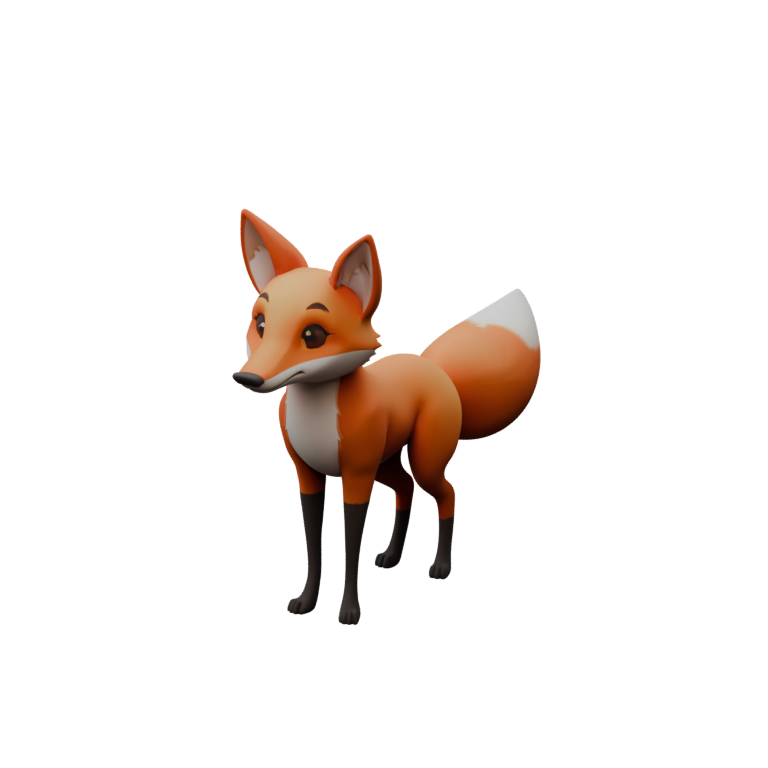
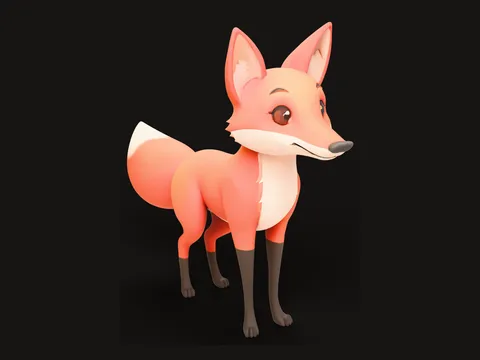
Fox

Four legs, big ears and a tail

Made from one picture of a fox. Bake3D built the textured model, placed 28 joints from the hips to the tip of the tail, and fitted the walk to all four feet. It is the lightest of the four.

Triangles
60,000
Vertices
41,822
Bones
29
Height
0.65 m
Clips
  • Walk4 s
  • Tail wag2 s
  • Look around5 s
Textures
Base color 2048 px

GLB: every clip and texture · FBX: the walk and the base color · CC BY 4.0

Credit line

“Fox” by Bake3D (https://bake3d.ai), licensed under CC BY 4.0

Every clip in this file passed our motion checks on this body. Play it in the demo.
02 · RobotWalk · 4 s loop

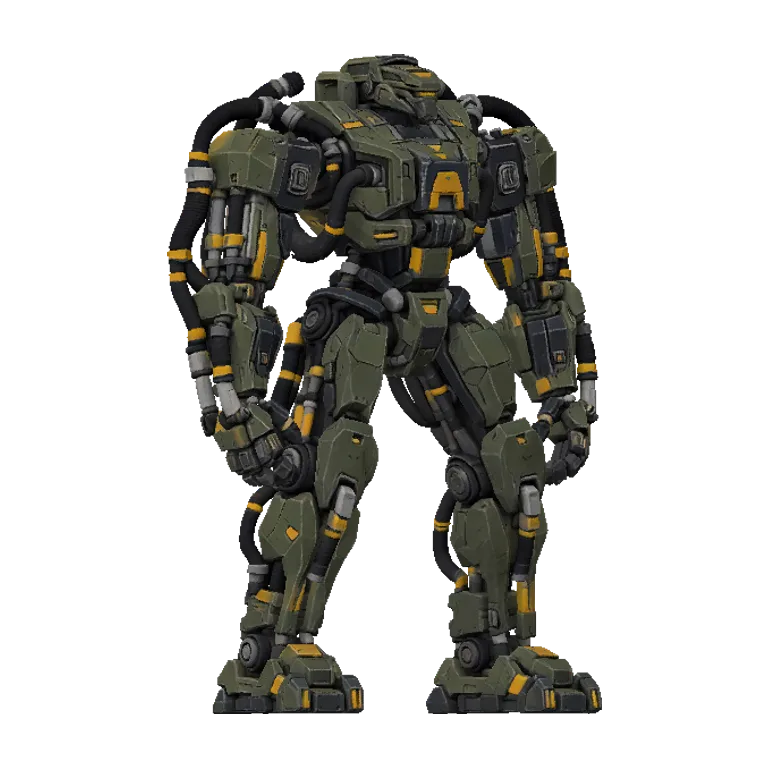
Robot

Two legs, armour plates and hoses

Made from a short text prompt in Spanish: "un robot gigante de combate con mangueras hidráulicas", a giant combat robot with hydraulic hoses. The hard plates stay stiff while the joints bend.

Triangles
152,123
Vertices
209,117
Bones
22
Height
1.9 m
Clips
  • Walk4 s
  • Run4 s
  • Idle4 s
  • Look around5 s
  • Intro4 s
Textures
Base color 1536 px · Metal and roughness 768 px · Normal 768 px

GLB: every clip and texture · FBX: the walk and the base color · CC BY 4.0

Credit line

“Robot” by Bake3D (https://bake3d.ai), licensed under CC BY 4.0

Every clip in this file passed our motion checks on this body. Play it in the demo.

03 · PersonWalk · 4 s loop

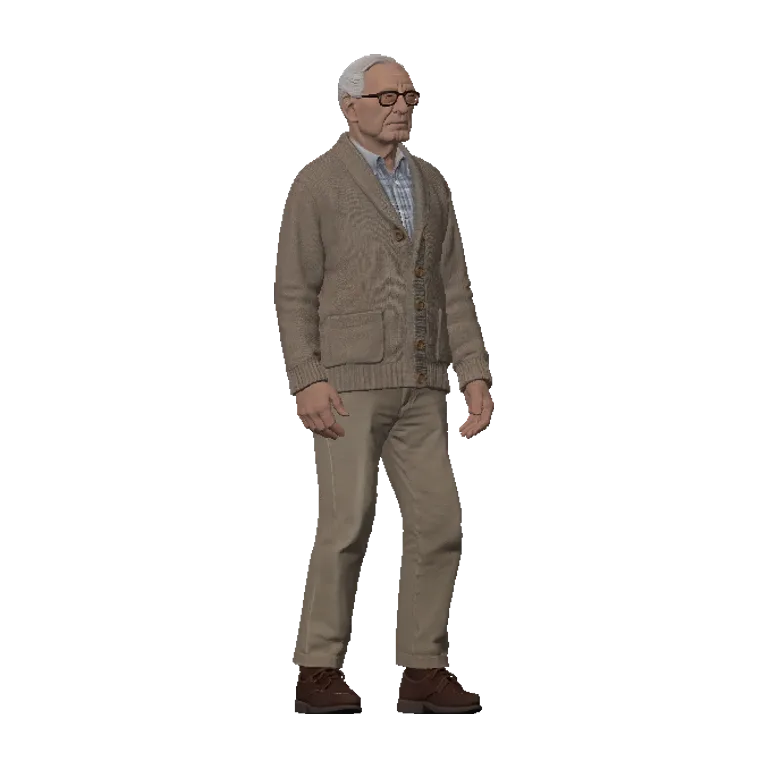
Old Man

Two legs, two arms and a jaw

Made from a picture of an old man in a cardigan, sitting in an armchair with a newspaper. Our image model made that picture, so he is not a real person. Bake3D built him standing, so he can walk, and wrote a short intro for him: he mimes reading the paper.

Triangles
150,000
Vertices
118,263
Bones
27
Height
1.75 m
Clips
  • Walk4 s
  • Run4 s
  • Idle4 s
  • Look around5 s
  • Intro4 s
Textures
Base color 2048 px · Metal and roughness 1024 px · Normal 1024 px

GLB: every clip and texture · FBX: the walk and the base color · CC BY 4.0

Credit line

“Old Man” by Bake3D (https://bake3d.ai), licensed under CC BY 4.0

Every clip in this file passed our motion checks on this body. Play it in the demo.

04 · CreatureWalk · 4 s loop

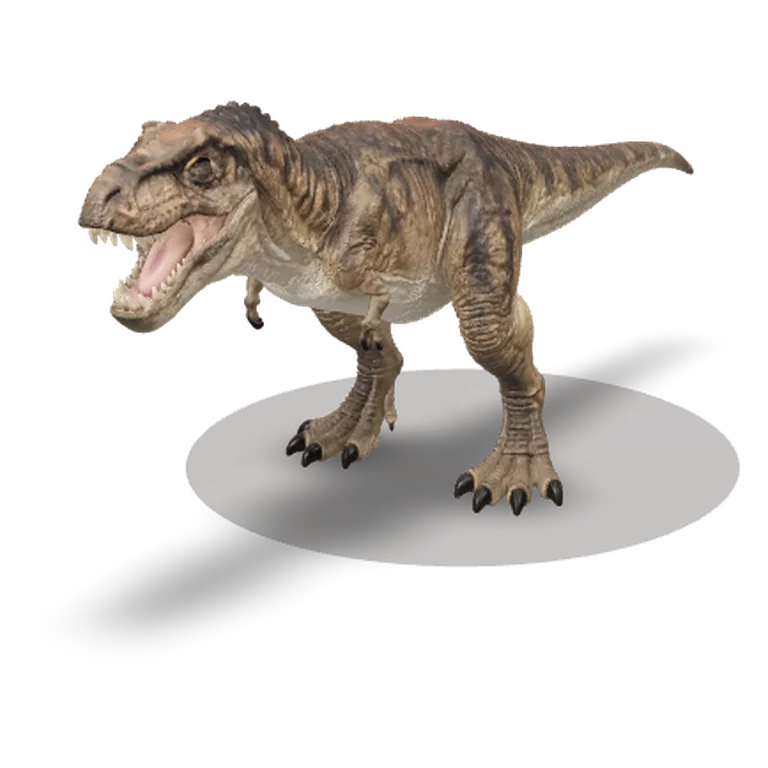
T. rex

Two legs, small arms and a long tail

Made from a picture of a T. rex standing with its body level, small arms and a heavy tail. Our image model made that picture too. Its walk is fitted to its own legs, and its tail bends through six bones.

Triangles
150,000
Vertices
152,490
Bones
36
Height
4 m
Clips
  • Walk4 s
  • Idle4 s
  • Look around5 s
  • Intro4 s
Textures
Base color 2048 px · Metal and roughness 1024 px · Normal 1024 px

GLB: every clip and texture · FBX: the walk and the base color · CC BY 4.0

Credit line

“T. rex” by Bake3D (https://bake3d.ai), licensed under CC BY 4.0

Every clip in this file passed our motion checks on this body. Play it in the demo.

Bones include the root bone on the floor that every Bake3D file has. Vertices are counted as the GLB stores them. Need every clip as FBX? Run the GLB through the free GLB to FBX converter.

02Licence

Use them for anything. Give credit.

The models are under Creative Commons Attribution 4.0 International (CC BY 4.0). You can use them, change them and sell what you make with them. You only need to say where they came from.

What you can do

  • Use them in free or paid games, apps, films, ads and videos.
  • Change them. Recolour, cut, pose, lower the polygon count or rig them again.
  • Sell your game, video or product that uses them.
  • Share the files with anyone, changed or not.

The one rule: credit

  • 1Name the model and Bake3D, and link to bake3d.ai.
  • 2Name the licence, CC BY 4.0, and link to it where you can.
  • 3Say if you changed the model, for example "colours changed".
  • 4Do not suggest that Bake3D backs you or your work.

Where to put the credit

  • A game credits screen

    Players cannot click a credits screen, so write the address out.

    Example: “Fox” by Bake3D (bake3d.ai), CC BY 4.0

  • A website or an app

    Link the name and the licence. The "Copy HTML" button below each model gives you the links.

    Example: “Fox” by Bake3D, licensed under CC BY 4.0

  • A video

    Put the credit line in the description. You can also show it in the end credits.

    Example: “Robot” by Bake3D (https://bake3d.ai), licensed under CC BY 4.0

  • A store listing

    On a Steam page, an app store or an asset store, add the credit line to the description. If you sell the model file itself, say that it is under CC BY 4.0.

    Example: Uses “T. rex” by Bake3D (https://bake3d.ai), CC BY 4.0. Colours changed.

This is a plain summary, not legal advice. The licence deed and the legal code are what count. The pictures of the models on this page are under the same licence.

03How we made them

One picture or one sentence each.

What each free model was made from, and the clips it keeps
ModelMade fromWhat it showedClips kept
FoxOne pictureA cartoon fox3
RobotA sentence in Spanish"un robot gigante de combate con mangueras hidráulicas"5
Old ManA picture our image model madeAn old man in a cardigan, sitting in a leather armchair and reading a newspaper5
T. rexA picture our image model madeA T. rex standing with its body level, tiny arms and a heavy tail4

Each model came out of the same pipeline our customers use. Bake3D built the textured mesh, planned a skeleton for the body it saw, set the skin weights and fitted the motions to the legs. Nobody placed a bone by hand.

These four are Bake3D's own sample characters. The robot, the old man and the T. rex come from our test set: a list of subjects we check again after every change to the engine, so we see a problem before a customer does. The fox is the character on our home page. What our customers make stays private to their accounts. We never share it or use it as a sample.

For these files, we baked each clip with the same exporter that makes customer downloads, at 30 frames per second. Then we joined the clips into one GLB. The FBX holds the walk only, because our FBX writer puts one clip in each file. We also set each model to a real size: the fox is 0.65 m tall to the tips of its ears, the old man 1.75 m, the robot 1.9 m and the T. rex 4 m.

Every file carries its credit inside it. In the GLB it is the copyright field. In the FBX it is the title, author and comment. We opened all eight files in Blender 4.4 on 8 October 2026 and checked the bones, the clips, the textures and the credit.

04Use them

Open them in your engine.

  • Blender

    Use File, Import, glTF 2.0. Each clip comes in as its own action.

    Blender import guide
  • Unity

    Drop in the FBX, or add glTFast to read the GLB. Use the Generic rig type for the fox and the T. rex.

    Unity guide
  • Unreal Engine

    Import the GLB through Interchange, or import the FBX.

    Unreal guide
  • Godot

    Godot opens GLB files as they are, with every clip.

    Godot guide
  • Roblox

    Roblox Studio takes FBX and glTF, but each mesh must have 20,000 triangles or fewer. Lower the count first.

    Roblox guide
  • The web

    Load the GLB with three.js or a model viewer. Look inside it first in our free 3D viewer.

    Online 3D viewer
05Honest notes

What to know first.

  • The robot, the old man and the T. rex have about 150,000 triangles each. That is heavy for a phone game or Roblox, so lower the count in Blender before you use them there. The fox has 60,000.
  • The GLB files hold every texture. The FBX files hold the base color only. For metal, roughness and surface bumps, use the GLB.
  • The clips play in place: the character walks on the spot, and your game moves it. Each file has a root bone on the floor, called motion_root, that you can move.
  • The bones have Bake3D names, like hips, thighL and tail0. They are not a Mixamo or Roblox R15 skeleton, so other animations need to be retargeted first.
  • There are no face controls, such as a smile or a blink.
  • Each model came from one picture or one sentence, so the back is the model's best guess. Look at it from every side before a close-up.
06FAQ

Questions about the free models.

Can I use these free 3D models in a game I sell?

Yes. CC BY 4.0 allows commercial use. You can sell a game, an app or a video that uses them. Put the credit line in your credits, your store page or your description.

Do I have to credit Bake3D?

Yes. Credit is the one rule of CC BY 4.0. Name the model and Bake3D, link to bake3d.ai and name the licence. Each model has a credit line you can copy.

Can I change the models?

Yes. You can recolour them, cut them, pose them, lower their polygon count or rig them again. Say in your credit that you changed them, for example "colours changed".

Can I use them in Roblox, Unity, Unreal or Blender?

Yes. Blender and Godot open the GLB as it is. Unity reads the FBX, or the GLB with glTFast. Unreal imports both. Roblox Studio takes FBX and glTF, but each mesh needs 20,000 triangles or fewer, so lower the count first.

What file formats are the models in?

Each model is a GLB (glTF 2.0) with its mesh, textures, skeleton and every clip, plus an FBX with the walk. For every clip in FBX, run the GLB through our free GLB to FBX converter. For a still model, use GLB to OBJ or GLB to STL.

Is the old man a real person?

No. Our image model made a picture of a fictional old man for our test set, and Bake3D built the 3D model from that picture. All four are Bake3D's own sample characters: no photo of a real person and no customer's picture or model went into any of them. Customers' characters stay private and are never shared.

Why are these models free?

We want you to try a Bake3D rig in your own engine before you spend anything. And when you credit us, other people find Bake3D too.

Can I make my own character like these?

Yes. Check your picture for free first, up to 3 times a day. A rigged character costs 65 credits at Standard quality, and the Single pack is $5. Pick "Game-ready mesh" for a lighter model of about 18,000 four-sided faces at no extra cost. See pricing.

Related

Textured 3D fox made from one image with Bake3D

Your own character

Make your own character from a picture.

Bake3D turns one picture or a sentence into a rigged, animated character like these, for any body. Check your picture for free, then bake from $5. Failed bakes are refunded automatically.