3D mesh generation
Generate the mesh. Then actually look at it.
AI mesh generation produces triangles you did not model by hand, so inspection matters more, not less. Bake3D generates a textured mesh from an image or text, renders it from seven angles next to your input, and ships free tools that measure what the preview cannot show.
Mesh only: 25 credits · GLB, STL and OBJ · free STL checker and converters
Maintained by Bake3D · Updated
Mesh generation without the rig, if that is all you need.
- 1
Provide the subject
An image (PNG, JPEG or WebP, up to 12 MB) or a text description up to 1,024 characters. Background removal and subject analysis run first so the generator knows what it is reconstructing.
Input guidance - 2
Pick a quality tier
Draft for blocking out, Standard for balanced detail and speed, High for the most detail and texture resolution. PBR maps are on by default; turn rigging off when you only need geometry.
25 credits per mesh - 3
Inspect from seven views
The studio renders the mesh from seven angles beside the input. Compare silhouettes, count parts, look at the inferred back and underside, and regenerate if the shape is wrong.
What to look for - 4
Export and measure
Export GLB, or write STL or OBJ of the current pose in your browser. Run the STL through the free checker for shells, boundary edges, non-manifold edges, winding and signed volume.
STL checker
Triangles, UVs, materials and what is not there.
A generated Bake3D mesh is triangle geometry with UV coordinates and PBR material maps: base colour plus the surface maps the generator produces for the quality tier. It is packaged as a glTF 2.0 binary, which means positions, normals, UVs, indices and textures travel in one file that Blender, Godot, three.js and most modern tools read directly.
Topology is generated, not hand-built. Expect an even triangle distribution rather than clean quad loops around joints, and expect several shells when the subject has separate parts, such as a rider and a mount, or wheels and a body. That is often correct for the object; the STL checker reports the shell count so you can decide.
Scale is normalised. The mesh does not carry the real-world size of the subject, so a figurine and a truck arrive at comparable dimensions. The studio’s STL export carries the scene size in millimetres; read the reported dimensions in your slicer or editor and scale deliberately.
What is not in a generated mesh: hidden geometry you can trust without looking (the far side is inferred), engineering tolerances, and guaranteed watertightness. A clean-looking mesh can still have boundary edges. The free tools exist to find those before a print or an import does.
Measure the geometry, do not eyeball it.
- In the studio
- Seven rendered views versus the input image
- Orbit, check underside and back
- Regenerate the mesh before rigging a wrong shape
- STL checker (free)
- Triangles, welded vertices, shells, bounds
- Surface area and signed volume
- Boundary, non-manifold and inconsistent edges; inside-out detection; degenerate and tiny triangles; JSON report
- Converters (free)
- GLB → STL and GLB → OBJ for print and modelling tools
- OBJ → STL, STL → OBJ, OBJ → GLB with explicit units and up axis
- FBX → OBJ and 3MF → STL for files from elsewhere
All free tools run in your browser: nothing is uploaded, no account is needed and no credits are spent. Images are limited to 32 MiB and models to 64 MiB, with expanded geometry bounded at 1,000,000 vertices.
Rig it, print it, or take the geometry elsewhere.
If the mesh passes inspection and the subject should move, add a rig for 10 credits. The rig stage plans joints from orthographic views of exactly this mesh, so it inherits whatever the geometry got right or wrong; that is why inspection comes first. A rigged mesh then takes described motion and exports as an animated GLB. The image to rigged character guide covers the sequence.
If the goal is a physical object, export STL from the studio, check it, and set the size in millimetres in your slicer. The 3D printing solution page and the image to STL guide walk through the print-specific checks and the difference between a generated model and a flat relief.
If you have your own rigging or retopology pipeline, take the GLB or OBJ into it. Bake3D does not currently offer a retopology stage; for close-up film work or strict game budgets, plan to retopologise and re-rig. The game graphics and movie graphics pages are honest about where generated topology fits and where it does not.
Generation and mesh-only export are available through the REST API and the MCP server as well as the studio, so a pipeline can request meshes by script and pull the GLB from a signed download link.
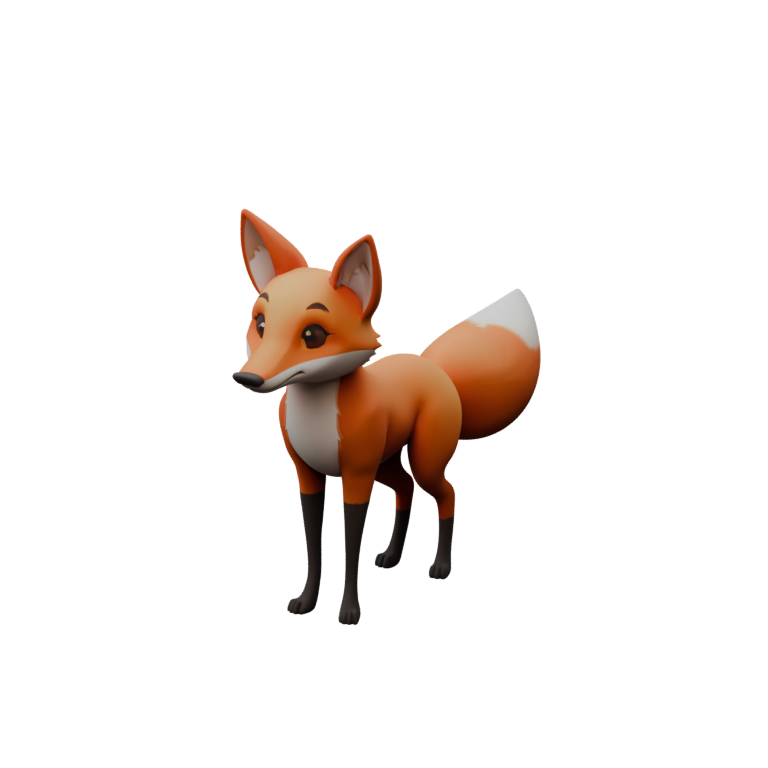
The fox mesh, by the numbers you can check yourself.
The sample bake3d-fox-2.glb is about 2.8 MB with textures embedded. Drop it into the free GLB to STL converter, then open the result in the STL checker: you will see the triangle count, the number of shells, the millimetre bounds and whether the surface is watertight, computed in your browser from the actual file rather than quoted here.
That is deliberately how this page treats numbers. Triangle counts and dimensions vary with the subject and the quality tier, so Bake3D reports them per model instead of advertising a typical figure. Run the checker on your own output and on the sample to calibrate expectations.
What generated geometry does not promise.
- Watertightness, wall thickness and manifold edges are not guaranteed; measure them with the checker before printing or booleans.
- Topology is even triangle soup. Edge loops for animation and clean quads for subdivision need a retopology pass in your own tool.
- The far side is inferred from one view; asymmetric subjects need a close look at the views the input did not show.
- Thin parts, touching limbs and very small features can fuse or vanish. Regenerate from a clearer input rather than trying to rig around them.
- Real-world scale is unknown. Set dimensions deliberately in your editor or slicer.
Mesh-only is the cheapest job.
A mesh is 25 credits, about fifty cents at pack rates, whether it comes from an image or a description. Turn rigging off in the job options and nothing else is charged. Adding the rig later costs 10 credits, or the studio can request a joint plan only, also 10, and build the skin in your browser; a project pays for one or the other.
Sixty free credits on sign-up cover two meshes, or one mesh and a rig. Packs start at $10 for 500 credits; plans start at $24 a month. Charges are made when a job is accepted and refunded on failure. Exports and the browser tools are free. Full details on the pricing page.
Questions before you start.
Is the generated mesh watertight?
Not guaranteed. Generated geometry can carry boundary edges, several shells and occasional inside-out faces, and a convincing preview does not reveal them. Export STL and run the free STL checker; it reports boundary and non-manifold edges, winding and signed volume from the actual file.
What topology does the mesh have?
Generated triangle topology with an even distribution, not artist quad loops. It is suitable for previews, many game uses, printing after checks and as a base for retopology. Bake3D does not currently provide a retopology stage.
Can I generate only the mesh without a rig?
Yes. Turn rigging off when you start the job and only the 25-credit mesh is charged. You can add the rig later for 10 credits.
How many triangles does a generated mesh have?
It varies with the subject and the quality tier, so Bake3D does not advertise a typical count. Convert the GLB to STL with the free tool and read the triangle count in the STL checker, or inspect it in your editor.
Which mesh formats can I get?
GLB (glTF 2.0) with textures from the server, and STL or OBJ of the current pose written in your browser from the studio. Rigged projects also export binary FBX 7.4 from the server. The free converters add GLB to STL, GLB to OBJ, OBJ to GLB and other static-geometry directions. There is no USD export.
Related
Generate a mesh and measure it.
Two meshes fit inside the 60 free credits. Inspect them from seven views and in the free checker before you rig or print.