Solutions · Mobile app mascots
Your mascot, in 3D, with something to do.
A mascot earns its place by reacting: a tilt of the head at an empty state, a wag when a task completes. Bake3D turns the illustration you already have into a rigged model and composes those small loops from plain-language descriptions, exported as glTF for the engine or view your app uses.
Short described loops at 5 credits · free introductory loop · GLB for Unity, Godot and web views
Maintained by Bake3D · Updated
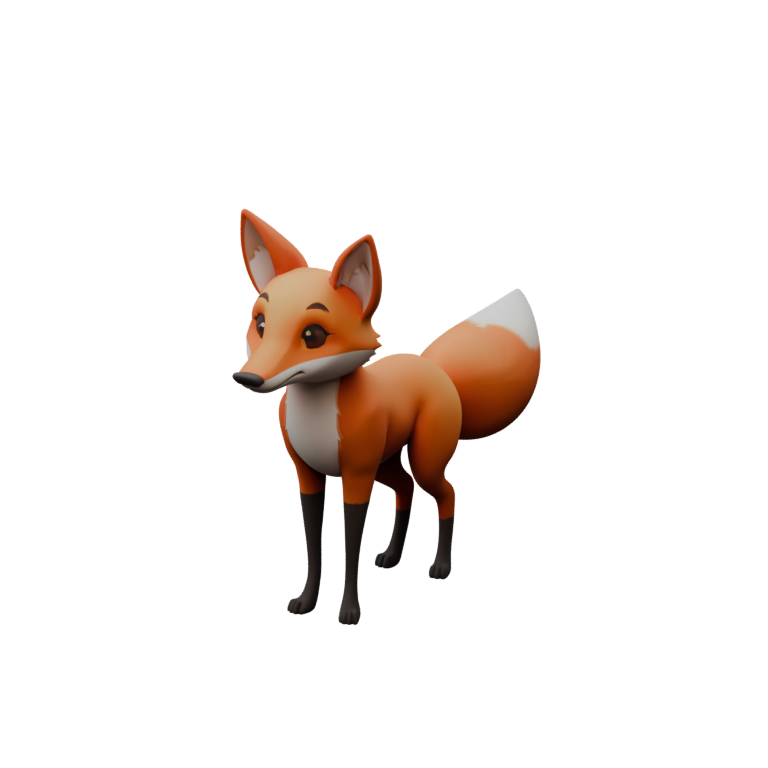
From the brand illustration to a set of loops.
- 1
Start from the mascot you have
Use the cleanest full-body illustration of the character, ideally in its neutral pose with limbs apart. Flat brand colours and clean outlines reconstruct well; the texture keeps the palette.
Image guidance - 2
Generate and rig
The mesh and a fitted rig cost 35 credits together. Read the deformation report: a mascot is seen close and often, so a pinching shoulder is worth fixing now.
Rig checklist - 3
Describe the reactions
“Tilt your head, curious.” “Wag your tail, relaxed.” “Look left, then right.” Each sentence becomes a loop written for the rig’s joint roles; the homepage demo plays exactly these on the sample fox.
Motion demo - 4
Export for your runtime
Animated GLB with the loops you select, baked to keyframes. Unity, Godot and web-based views load glTF; the format notes below cover what each platform needs.
Integrations
Small motions, stated precisely.
Mascot animation is a vocabulary of short, repeatable states: idle, greeting, success, confusion, waiting. Describe each as an action with energy and timing. “Bounce once, happy, then settle” gives the motion engine more than “celebrate”. Ask for a loop when the state persists, such as idle or waiting, and for a one-shot when it is a reaction to an event.
The engine is deterministic: the same program on the same rig gives the same pose at the same time, so a loop you approve in the studio plays identically in the exported keyframes. Review the loop boundary, because that is where a mascot’s idle either breathes or visibly snaps.
Keep the set small at first. The included four-second introductory loop is free and a good idle. Add a greeting and a success reaction at 5 credits each, watch them at normal speed and by scrubbing frames, and use the optional 2-credit critique round when a motion needs a second opinion from the vision model.
Reactions should respect the user’s settings. The Bake3D homepage stops autoplay under a reduced-motion preference; your app should do the same and show the rest pose or a still instead.
Getting a GLB onto a phone.
- Unity and Godot
- Import the GLB as in any project; Godot 4 reads skins and clips natively, Unity via glTFast
- Build for iOS and Android with the engine’s own pipeline
- Game graphics page for engine specifics
- Web views and hybrid apps
- three.js GLTFLoader plays skinned GLB with baked clips; the Bake3D homepage does exactly this
- Reduced-motion and a poster fallback keep first paint fast
- Web apps page
- Native AR viewers
- Android Scene Viewer accepts glTF
- iOS AR Quick Look expects USDZ, which Bake3D does not export; conversion is an external, untested step
Bake3D does not ship a mobile SDK or host assets for your app. You bundle or serve the GLB yourself.
What to plan around.
- File size. The sample fox GLB is about 2.8 MB with textures embedded. Budget for your app size or lazy-load the model after first paint.
- Polygon and texture budgets are yours. Generated topology is not optimised for low-end phones; decimate in your editor if frame time matters.
- No USD export; FBX is written with one baked clip per file. iOS Quick Look pipelines need an external conversion that Bake3D has not validated.
- Fine features such as thin ears, antennae or accessories can be missing or fused after generation. Inspect the seven views.
- Likeness to an existing branded character depends entirely on your illustration; you must hold the rights to it.
A mascot set for under two dollars of credits.
Mesh 25, rig 10, and three described reactions at 5 each is 60 credits, exactly the free allocation on sign-up. Presets, the introductory loop and re-exports are free, so revising the export after a rig fix costs nothing.
A mascot in a shipped app is commercial use, which needs Pro ($24 a month) or Studio. Both grant a commercial license for assets generated while subscribed. Jobs are charged on acceptance and refunded on failure; see the pricing page.
Questions before you start.
Can I animate my existing 2D mascot?
You can generate a 3D model from its illustration, rig it and animate it. The result is a 3D interpretation of the drawing, not the 2D artwork itself; expect to inspect the inferred sides and any thin features.
What loops work best for an app mascot?
A gentle idle, a greeting, a success reaction and a waiting or thinking state cover most interfaces. Describe each with an action, an energy and a timing, and ask for loops where the state persists.
How do I show it in a React Native or Flutter app?
Through a web view or a 3D view that loads glTF; three.js in a web view is the path Bake3D itself uses on its homepage. Native 3D layers need their own glTF loader, which Bake3D has not tested.
Can I use the mascot on iOS AR Quick Look?
Not directly. Quick Look expects USDZ and Bake3D exports GLB only. Converting is an external step that Bake3D has not validated.
Is the motion the same on every device?
The exported clips are baked keyframes, so any glTF player shows the same poses. Frame rate and skinning method belong to the runtime; the browser’s optional dual-quaternion skinning is not part of glTF.
Related
Give your mascot a head tilt.
The free 60 credits cover the model, the rig and three described reactions.