Text to 3D model
Describe the subject. Get a rigged 3D model.
No image yet? A sentence or a short paragraph becomes a textured mesh through the same bake3d-1.3-enhanced workflow, then the rig and motion stages treat it exactly like a model made from an image.
Prompts up to 1,024 characters · 25 credits per mesh · same rig and motion stages as image input
Maintained by Bake3D · Updated
From a paragraph to a moving model.
Text to 3D shares every stage after generation with image to 3D. The only difference is what the generator starts from.
- 1
Write the description
In the studio, switch the new bake to “Describe your subject” and write up to 1,024 characters: what it is, its proportions, materials, colours, pose and style. The API and MCP accept the same
API referencepromptfield in place of an image. - 2
Generate the mesh
The generator produces a textured mesh with PBR maps from the description. The studio renders seven views so you can judge the shape before spending anything on a rig. Use a different seed to get another interpretation of the same text.
25 credits - 3
Rig and inspect
Joints are planned from orthographic views of the generated mesh and labelled by role, so a description of a six-legged walker gets six leg chains, not a bipedal template. Read the placement, rig check and deformation reports.
Rig checklist - 4
Describe the motion
A second sentence, this time about what the subject does. The motion engine composes a program against the rig’s joint roles, plays it deterministically, and exports it as baked keyframes in a GLB.
5 credits per described motion
What a useful description contains.
Lead with the subject and its body plan. “A chunky ceramic fox with a glazed orange coat, standing on four legs, stylised, game-ready” tells the generator the species, the material, the number of legs, the pose and the intended look in one line. The rig stage later benefits from that clarity: a standing pose with separated legs gives it distinct parts to place joints in.
State proportions and parts explicitly when they matter. “Long tail”, “oversized head”, “two wheels at the back and a caster at the front”, “four arms”: the generator cannot know a proportion you did not mention, and a vague prompt is filled in with the most ordinary interpretation. Mention symmetry if you need it and the rest pose you want, because the rig preserves the generated pose rather than forcing a standing template.
Describe surfaces the way a texture artist would: material, colour, wear, finish. “Matte cast iron with chipped green paint” produces more usable maps than “metal”. Avoid packing several unrelated subjects into one prompt; text to 3D produces one object, and a scene description tends to fuse its parts into a single blob.
Iterate on the mesh before the rig. If the first result has the wrong silhouette, change the words and regenerate, or keep the words and change the seed. A rig cannot recover geometry that was never generated, and the mesh is the cheaper stage to repeat. When you already have a reference picture, image to 3D is usually the more controllable route.
The same asset, from different input.
- Mesh
- Textured mesh with PBR material maps
- Quality tier per job: Draft, Standard or High
- Seven rendered views for inspection
- Rig
- Skeleton and skin weights fitted to the generated shape
- Joint roles for legs, wings, tails, wheels and more
- Placement, rig check and deformation reports
- Motion
- Free four-second introductory loop after rigging
- Described motion at 5 credits, optional critique at 2
- Fitted presets such as an adaptive walk at no charge
- Export
- Rigged or animated GLB (glTF 2.0) or binary FBX 7.4
- STL and OBJ of the current pose from the studio
- No USD
How the fox sample would be written.
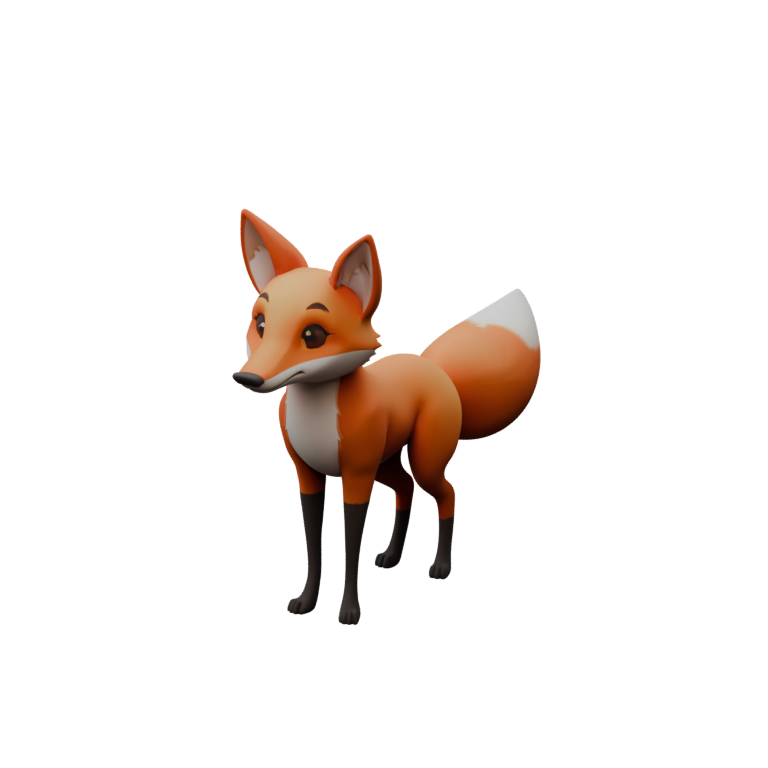
The fox on this page was generated from an image, but its description as a text prompt would read: “A stylised red fox with a white chest and a thick bushy tail, standing squarely on four legs, slightly cartoon proportions, clean game-ready surfaces.” Everything the rig needs is in that sentence: four legs, a tail, a standing pose. Everything the texture needs is there too: red, white chest, stylised.
After rigging, the motions on the homepage demo are the second kind of sentence: “Tilt your head, curious”, “Wag your tail, relaxed”, “Walk calmly”. Each becomes a motion program addressed to joint roles, which is why the same descriptions would apply to a different four-legged subject you generated from text instead of a picture.
Treat this as one example of the workflow, not a promise about every prompt. Text to 3D is the least constrained input Bake3D accepts, so it is also the input whose result varies the most between runs. Inspect, iterate and only then rig.
Where text falls short of an image.
- Words underspecify shape. Two runs of the same prompt can differ in proportions, pose and detail; use the seed option and the seven-view comparison to converge.
- Exact likeness is out of scope. A named character, a specific product or a particular person cannot be reproduced from a description; start from an image you have the rights to instead.
- Long prompts do not add precision after the first few clear sentences. The limit is 1,024 characters; contradictions inside a prompt tend to produce a compromise shape.
- Real-world scale is not inferred. Set dimensions in your editor or slicer.
- The rig and motion stages inherit whatever the mesh got wrong. Fused legs or a missing tail cannot be fixed by rigging.
Credits for text to 3D.
Text generation costs the same as image generation: 25 credits for the mesh, 10 for the rig, 5 for each described motion. Because text results vary more, budget for a second or third mesh before committing to a rig; three meshes and one rig are 85 credits, or about $1.70 at pack rates.
Sign-up gives 60 free credits, packs start at $10 for 500, and the Pro plan ($24 a month, 1,500 credits) adds a commercial license and API and MCP access. Failed jobs are refunded to your balance automatically. See the pricing page for the full cost table.
Questions before you start.
Is text to 3D free?
The first attempts are: every new account gets 60 credits without a card, and a text-to-3D mesh costs 25. After that, packs start at $10 for 500 credits. Preset motions, the included introductory animation and exports are free.
Can I combine a text prompt with an image?
Not in one job. A generation starts from exactly one of the two: an image or a prompt. Use the image when you have a reference; use text to explore a subject you have not drawn yet, then rig and animate either result the same way.
Does text to 3D produce a rig and animation?
Yes. Rigging, joint roles, the free introductory loop, described motion and GLB export all run on the generated mesh regardless of how it was created. The rig is planned from the mesh itself, so a description of a spider produces a many-legged rig.
How do I get a consistent result?
Keep the prompt fixed and vary only the seed to see alternatives, or keep the seed and change one phrase at a time. Compare the seven rendered views for silhouette and part count before rigging, because that is the stage where a wrong mesh becomes expensive.
Which 3D model does Bake3D use?
Every stage runs under the public model name bake3d-1.3-enhanced: geometry, rig, motion and vision. The API accepts that model name and routes the work server-side.
Related
Write the first sentence.
Describe the subject, generate, inspect, then rig. 60 free credits cover a couple of meshes and a rig.