AI 3D model generator
An AI 3D model generator that does not stop at the mesh.
Most generators hand you a static model and leave the skeleton, skin weights and motion to you. Bake3D generates the textured mesh, plans a rig for the shape it actually produced, and composes motion from a sentence, in one credit-based workflow.
Image or text input · mesh, rig, motion · GLB export · bake3d-1.3-enhanced
Maintained by Bake3D · Updated
Generate, rig, animate, export.
One model name, bake3d-1.3-enhanced, covers four stages: geometry, rig, vision and motion. Each stage is a separate job with its own report and its own credit charge.
- 1
Choose the input
Upload an image (PNG, JPEG or WebP, up to 12 MB) or write a description of up to 1,024 characters. An image gives you control over the silhouette; text lets you explore a subject you have not drawn yet.
Image to 3D - 2
Generate the mesh
Pick Draft, Standard or High. The generator writes a textured mesh with PBR maps and the studio renders seven views beside the input so you can judge the shape before rigging.
25 credits - 3
Rig automatically
The rig stage plans joints from orthographic views of the mesh, labels each with a role, solves skin weights and measures how the surface deforms. It is built for any body plan, from bipeds to wheeled machines.
Quadruped example - 4
Animate and export
A free introductory loop plays as soon as the rig is done. Then describe motions in plain language or fit a preset, and export a rigged or animated GLB for Blender, Unity, Unreal, Godot or the web.
Integrations
Image, photo or text: which one to start from.
Start from an image when you already know what the subject looks like. Concept art, a clean render or a product shot fixes the silhouette, proportions and colours, and the seven-view comparison tells you quickly whether the generator read it correctly. This is the most controllable route and the one the image to 3D page describes in detail.
Start from a photograph when the subject exists in the real world: a toy, a figurine, a tool, a pet. Photographs bring lighting, cast shadows and backgrounds that the generator has to separate from the object, so the photo to 3D model page covers how to shoot one that reconstructs well.
Start from text when there is no picture yet. A paragraph describing the subject, its parts, materials and pose becomes a mesh through the same generator. Results vary more between runs than with an image, so plan to iterate on the mesh before rigging. The text to 3D page has prompt guidance.
Whichever you choose, the mesh is the stage to get right. Rigging and motion are built on it and cannot add geometry that was not generated. If you only need the geometry, for printing or for your own rigging pipeline, turn rigging off and pay for the mesh alone; the 3D mesh generation page explains what the mesh contains.
A complete asset, with reports.
- Geometry
- Textured mesh, PBR material maps
- Seven rendered views compared with the input
- STL and OBJ of the current pose from the studio
- Rig
- Skeleton planned for the generated shape
- Skin weights and a measured deformation report
- Joint roles: head, spine, legs, wings, tail, wheels and more
- Motion
- Included four-second loop, free
- Described motion from a sentence, deterministic playback
- Optional vision-model critique rounds
- Access
- Studio in the browser
- REST API with bearer keys on Pro and above
- MCP server for assistants and editor add-ons
Exports are glTF 2.0 binaries or binary FBX 7.4 (one baked clip per FBX file). No USD. Every stage runs under one public model name, bake3d-1.3-enhanced.
How to tell a good generated model from a pretty one.
A generated model can look convincing from the front and still be wrong. Orbit it. Count the appendages and compare them with the input. Check the underside and the back, because those are the surfaces the generator inferred. Look for parts that fused (two legs as one column, a tail merged into a leg) and for parts that vanished (thin straps, whiskers, antennae).
Then read the rig reports rather than trusting the skeleton overlay. The placement score says how well joints sit inside the parts they drive; the rig check card lists what the stage verified; the deformation report measures compression and stretch on the skinned surface across a test motion. The rig inspection guide explains each number and what to do when one is poor.
Finally test with an isolated motion before a complex one: turn the head, bend one leg, rotate one wheel. Nearby surfaces should follow only when that movement makes sense. If they do not, re-rig with a hint, or regenerate the mesh; both are cheaper than discovering the problem after building a scene around the asset.
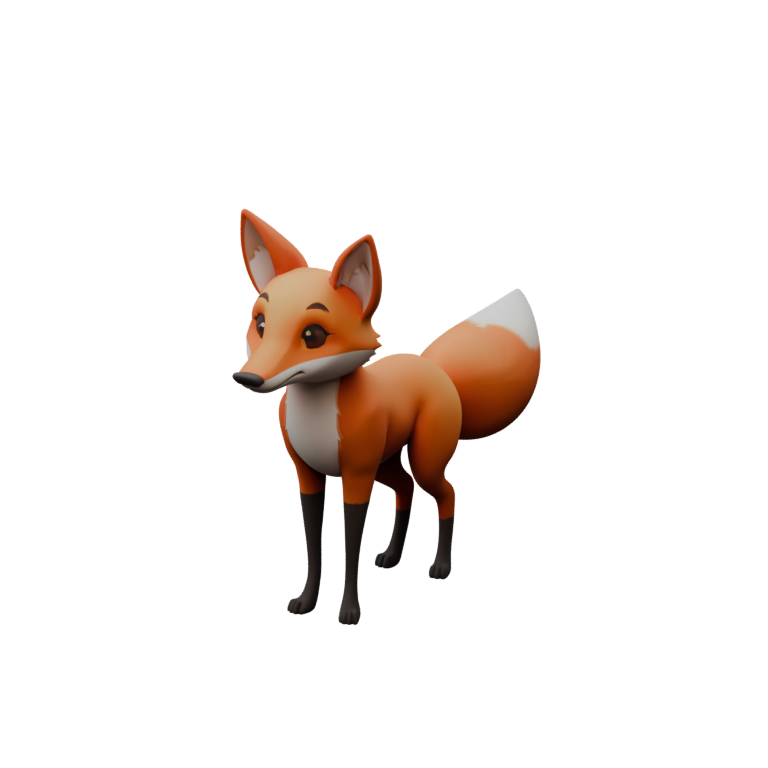
The fox on this page passed those checks and is shown live from its exported GLB. That is evidence for one subject, and the validation notes describe which structures the regression fixtures cover: repeated limbs, different scales, posture changes, rigid wheel and panel assemblies, multipart meshes.
What an AI 3D model generator still cannot do.
- It infers what it cannot see. Hidden sides are the generator’s guess; a single view leaves that uncertainty in every result.
- It does not know real-world scale, printer constraints or your engine’s polygon budget. Set size deliberately and check triangle counts in your tool.
- Topology is generated, not hand-built. Expect to retopologise for close-up film work or strict game budgets; the rig and motion transfer to a retopologised mesh only if you re-rig it.
- Exact likeness of a named character, product or person is out of scope, and you must hold the rights to any image you upload.
- Text prompts vary between runs. Iterate on the mesh before paying for a rig.
Credits, not seats.
A credit is about two cents at pack rates. A mesh is 25 credits, a rig 10, a described motion 5 and a critique round 2; presets, the introductory loop, the free converters and repeat exports cost nothing. A complete rigged model is therefore 35 credits, roughly seventy cents.
New accounts get 60 credits without a card. Packs start at $10 for 500 credits and do not expire. Pro ($24 a month, 1,500 credits) adds a commercial license, rig quality reports and API and MCP access; Studio ($79, 6,000 credits) adds unlimited critique rounds. Charges apply when a job is accepted and are refunded if it fails. The pricing page has the table, plan features and a calculator.
Questions before you start.
What makes this different from a mesh-only generator?
The rig and the motion. Bake3D plans a skeleton and skin weights for the shape it generated, labels joints by role so a sentence can drive them, and exports the result with baked animation. A generator that stops at the mesh leaves that work to you in Blender or Maya.
Which subjects can it generate?
Characters, animals, winged and many-legged creatures, serpentine bodies, vehicles, machines, props and hybrids. The rig stage does not assume a torso, two legs or a standing pose. Quality varies with the input; the fox sample shows one good result, not a guarantee.
Can I use the generator from code or an assistant?
Yes. The REST API exposes generate, job status, animate and export endpoints with bearer keys, and the MCP server exposes the same workflow to MCP-compatible assistants and the Blender, Unity, Unreal and Godot add-ons. Both are included with Pro and above.
What formats can I export?
GLB (glTF 2.0) as a rigged rest pose or with baked animation clips, or binary FBX 7.4 from the server (skeleton, skin weights, embedded base-colour texture, one baked clip per file), plus STL and OBJ of the current pose written in your browser. There is no USD export.
Do I keep my credits if generation fails?
Yes. Credits are charged when a job is accepted and refunded automatically if any stage fails. Partial results, such as a mesh whose rig failed, are kept so you retry only the failed stage.
Is there a free 3D model generator here?
The 60 sign-up credits let you generate and rig one model free. The browser tools on the tools page are free without limits or accounts, but they convert and inspect existing files or build reliefs from images; they do not generate full models.
Related
Generate your first rigged model.
Image or text in, an inspectable mesh, rig and motion out. 60 free credits, no card.