Solutions · Film and animation
Concept art that moves before the modelling team starts.
Film work rewards early motion: a creature that walks in a blocking pass answers questions a static concept cannot. Bake3D turns a concept image into a rigged model with described motion, exports glTF that Blender imports with its armature and actions, and is honest about where hand-built assets take over.
Rigged and animated GLB or FBX · Blender 4.4 import verified · described motion at 5 credits · no USD or Alembic
Maintained by Bake3D · Updated
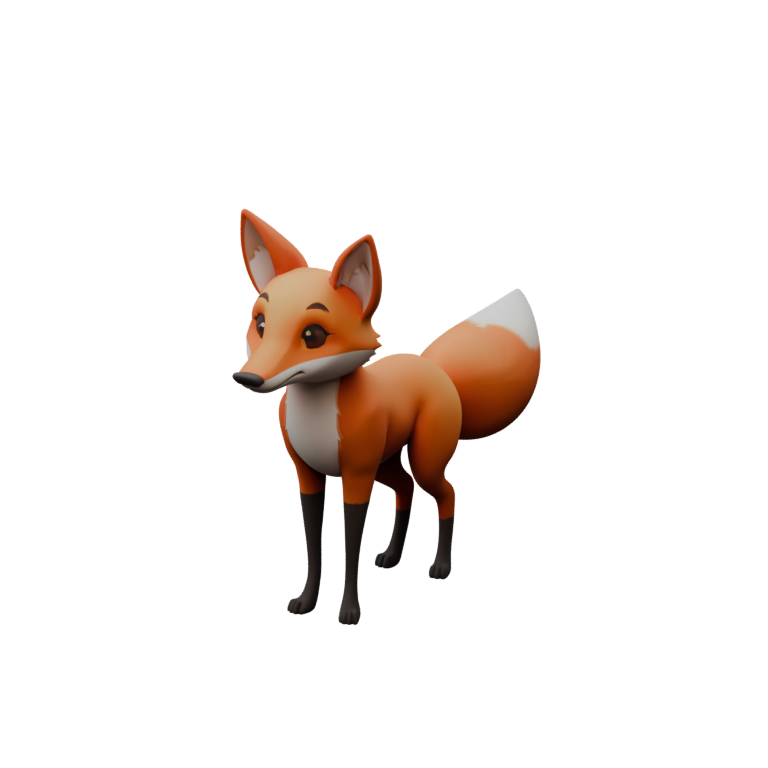
From concept to a moving blocking asset.
- 1
Generate from the concept
Use the cleanest full-body concept, ideally a turnaround’s three-quarter view. Creatures, vehicles, props and hybrids all rig on their own terms; a seated or hanging design keeps its pose rather than being forced to stand.
Image guidance - 2
Rig and read the deformation report
The rig stage plans joints for the actual shape, solves skin weights and measures compression and stretch across a test motion. For previs the numbers only need to be good enough to read the performance.
Rig checklist - 3
Describe the beats
“Crouch low, then spring forward.” “Turn the head slowly to the left, pause, return.” Each description becomes a motion program on the rig’s joint roles, played deterministically, revisable with an optional vision-model critique round.
5 credits per described motion - 4
Take it into Blender
Import the animated GLB: the armature, materials and each clip as an NLA action arrive together. Block the shot, retime, or use the asset as reference for the hero build.
Blender guide
Previs, animatics, backgrounds and reference.
Previs and animatics. A creature that walks, turns and reacts in a blocking scene tells the director how it reads in motion at the cost of a few credits, days before a modelling and rigging pass would. Camera, staging and timing decisions do not need final topology; they need something that moves plausibly and matches the concept’s silhouette.
Background and mid-ground characters. Crowd fill, distant creatures and set-dressing vehicles are often seen small and briefly. A generated, rigged asset with a fitted walk or an idle loop can fill those roles after inspection, and Blender gives you the armature to adjust or retarget.
Reference for the hero build. The generated rig is a concrete proposal for joint placement, chain structure and proportions on a design that exists only as a drawing. Modellers and riggers can take it into Blender as a maquette they can pose, then build the production asset with the topology and controls the shot needs.
Not the hero close-up. Generated topology is even triangle soup, texture resolution follows the quality tier, and skin weights are solved automatically. Facial performance, cloth, fur and close inspection want hand-built topology and a production rig. Bake3D does not currently provide retopology, and it says so.
What arrives in Blender, and what does not.
- Arrives
- Mesh with PBR materials, glTF metres, Y up
- Armature with the planned skeleton and skin weights
- Selected clips as NLA actions, baked keyframes at the export frame rate
- Verified
- Blender 4.4 import of generated and regression assets: bones, materials, animation
- Bake3D add-on for generate, describe motion and import through MCP
- Blender guide and integration notes
- Does not travel
- No USD or Alembic export; FBX carries one baked clip per file and base colour only, so convert in Blender if a downstream tool needs more
- The studio’s optional dual-quaternion skinning; deformation can differ under linear skinning
- Motion programs themselves; only the baked keyframes
Unreal Engine import through Interchange has a CI-verified script that has not yet been run inside the editor; virtual production pipelines should validate scale, axes and root motion themselves. See the Unreal guide.
What a film pipeline still owns.
- Topology, UV layout and texture resolution are generated, not art-directed. Plan a retopology and texture pass for anything that fills the frame.
- No facial rig, blend shapes, cloth or fur simulation. The rig is a skeleton with skin weights.
- No USD or Alembic. Interchange with other DCCs goes through Blender.
- Hidden surfaces are inferred from one view; turnarounds cannot be fed as multiple inputs.
- Described motion is blocking-grade. Expect to refine timing and contact in the animation tool.
A moving maquette for under a dollar.
A rigged model is 35 credits, around seventy cents at pack rates; each described beat adds 5 and an optional critique round 2. Exports and presets are free. Sixty free credits cover a first asset and a few beats; the Studio plan ($79 a month, 6,000 credits) includes unlimited critique rounds for heavier iteration.
Anything in a released production is commercial use and needs Pro or Studio, which grant a commercial license for assets generated while subscribed. You must hold the rights to the concept art you upload. Charges are made on acceptance and refunded on failure; the pricing page has the table.
Questions before you start.
Is the output usable for final shots?
For background and mid-ground elements after inspection, sometimes. For hero close-ups, no: generated topology, automatic skin weights and tier-limited textures are not a production rig. Use it for previs, blocking, reference and fill, and build the hero asset by hand.
Can I export USD or FBX for my pipeline?
FBX yes: the server writes binary FBX 7.4 with the skeleton, skin weights, embedded base-colour texture and one baked clip per file, verified in Blender 4.4. USD and Alembic no; Blender imports the GLB or FBX with armature and actions and can write those from there as an external step.
How does the animation arrive in Blender?
Each exported clip becomes an NLA action on the imported armature, baked to keyframes at the export frame rate. The studio bakes at 30 fps; the API allows 24, 30 or 60 and in-place or travelling root motion.
Can I feed a full turnaround sheet?
Not as multiple inputs; generation starts from one image. Use the most informative single view, usually the three-quarter, and inspect the seven rendered views for the sides it inferred.
What about non-creature designs, such as vehicles or machines?
The rig stage plans joints from the mesh, so vehicles get wheel pivots and machines get moving parts without a humanoid template. Regression fixtures include rigid wheel and panel assemblies; inspect the rig report for your specific design.
Related
Block the shot with a moving concept.
Generate, rig and describe the first beats with 60 free credits, then take the GLB into Blender.