Image to 3D model
One image in. A textured, rigged 3D model out.
Upload a drawing, render or photograph and Bake3D reconstructs a textured mesh, plans a skeleton for its actual shape, and lets you describe the motion. Every stage is inspectable before you spend the next credit.
25 credits for the mesh · 10 for the rig · 60 free credits on sign-up · GLB export
Maintained by Bake3D · Updated
Four stages, each one visible.
Image to 3D in Bake3D is not one opaque button. The mesh, the rig and the motion are separate jobs with separate reports, so a problem shows up where it starts.
- 1
Upload the image
PNG, JPEG or WebP up to 12 MB, one image or up to four angles of the same subject. The background is removed automatically and the subject is analysed so the later stages know what kind of thing they are looking at. Choose a Draft, Standard or High quality tier for the mesh.
Preparing an image - 2
Generate the mesh
The generator infers the hidden sides and writes a textured mesh with PBR material maps. The studio then renders seven views next to your input so you can compare the silhouette, count the parts and spot fused or missing geometry.
25 credits - 3
Build a rig that fits
Bake3D plans joints from orthographic views of your mesh, labels every joint with a role such as head, spine, left front leg or wheel, solves skin weights and reports placement, a rig check card and measured deformation.
Checking the rig - 4
Describe the motion, export
Type an action or pick a preset that fits the body plan. The motion engine addresses joints by role, so the same request works on a fox, a hexapod or a cart. Export a rigged GLB or an animated GLB with baked keyframes.
Editor workflows
What kind of image works.
One subject, fully inside the frame, with the whole body visible. A three-quarter view usually reveals more of the shape than a flat front view, and a little space between limbs, wheels or wings gives both the reconstruction and the rig distinct parts to work with. Cropped feet or a tail that leaves the frame cannot be reconstructed; the generator can only guess at what it cannot see.
Drawings, concept art and clean renders are the most predictable inputs. Strong outlines and flat lighting are read as shape; heavy painted shadows are read as surface, which is where dents and phantom bulges come from. If you are working from a sketch, settle the silhouette before adding fine surface detail, because detail is textured onto the mesh while the silhouette becomes the mesh.
Photographs work too, with different care: lighting, cast shadows and the background all compete with the object. The photo to 3D model page covers shooting an object so it reconstructs well, and when a flat relief or lithophane from the free image-to-STL tools is the better answer.
Resolution matters less than clarity. About 1,000 pixels on the long edge is plenty; a clean 800-pixel drawing beats a noisy 4,000-pixel photo. Background removal is automatic, but a busy scene behind the subject can still leave fragments, so a plain backdrop is worth the minute it takes. If you have no image at all, text to 3D starts from a description instead.
One image is enough, and up to four are accepted. If you have a back, side or top view of the same subject in the same pose, add them in the studio or pass imageUrls through the API: the first image stays the primary reference for the source review and thumbnail, and the other angles go to the geometry engine so less of the hidden side is guessed. Be aware of the honest limit: the primary geometry engine reads all the views, but the fallback engine that steps in when it is unavailable reads one, and the finished job says which happened. Extra views help only when they show the same subject at the same scale; a second pose is a second character.
What you get out of an image-to-3D job.
- Mesh
- Textured 3D mesh with PBR material maps
- Seven rendered views compared with the input
- Quality tier chosen per job: Draft, Standard or High
- Rig
- Skeleton planned for the actual shape, not a humanoid template
- Skin weights with a measured deformation report
- Joint role labels so motion can address parts by meaning
- Motion
- A free four-second introductory loop after rigging
- Described motions from a sentence, 5 credits each
- Presets fitted to the rig at no charge, such as a rig-fitted walk
- Export
- Rigged GLB: rest pose, skeleton, skin weights, textures
- Animated GLB with baked keyframes for chosen clips
- STL and OBJ of the current pose, written in your browser
Bake3D exports glTF 2.0 binaries and binary FBX 7.4 (one baked clip per FBX file; Blender 4.4 import verified). There is no USD export. Nothing in the free tools spends credits.
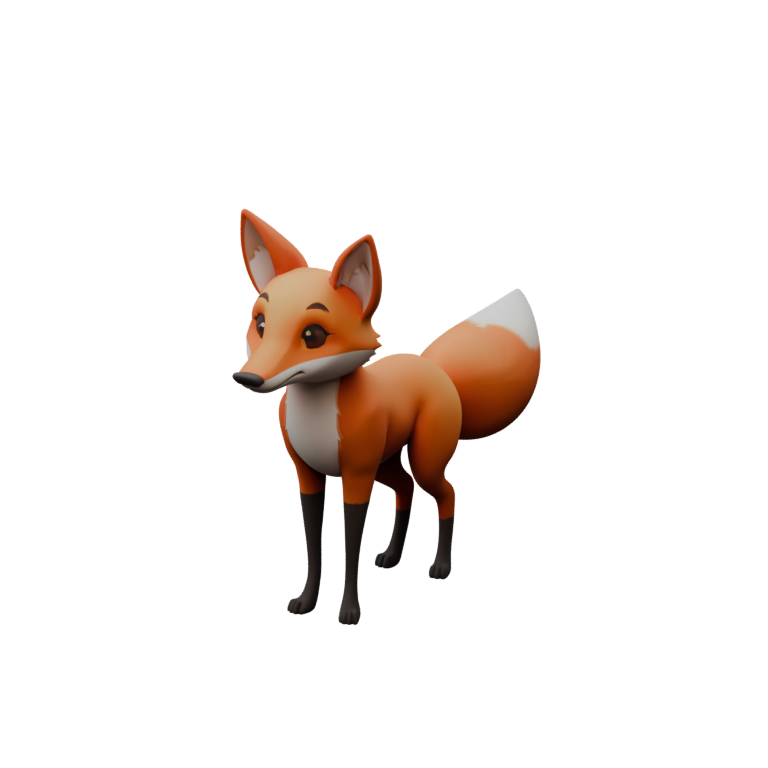
The fox you can see above.
The character at the top of this page is a Bake3D-generated fox, shown live from the exported GLB with the same engine that runs in the studio. It began as one image. Generation produced the textured mesh, the rig stage planned a quadruped skeleton with a tail and head chain, and the motion programs it plays (walk, trot, idle) are written against joint roles rather than bone names.
The sample file is public: download bake3d-fox-2.glb (about 2.8 MB) and open it in Blender, Godot or any glTF viewer to inspect the armature, textures and skin. Its published motion programs were checked for joint-role resolution, finite output, closed loops and measured surface deformation before release, and the homepage motion demo plays described motions on the same rig.
What the fox proves is narrow: one image of one subject produced a usable rigged asset with this workflow. It does not prove that every image will, and Bake3D does not claim that. The rig stage is written for arbitrary body plans, including many-legged, winged, serpentine, wheeled and mixed rigid and soft subjects, and the validation notes describe which structures the regression tests cover.
If your subject is four-legged, the quadruped rigging guide walks through the reports the studio shows for exactly this kind of character and the fixes for the usual problems: a joint placed inside the body, a paw that slides, a tail that pulls the hip.
What a single image cannot tell the generator.
- Hidden geometry is inferred. The back, the underside and anything occluded are the generator’s guess; a second or third view of the same subject narrows that guess but does not remove it. Inspect the seven-view comparison before rigging and regenerate rather than rig a wrong shape.
- Thin parts, touching limbs and very small features are the usual failure points for both mesh and skin weights. Antennae, whiskers and thin straps may fuse or vanish.
- Scale is normalised. Generated models do not know the real-world size of the subject; set the size in your editor or slicer deliberately.
- A successful job means the workflow completed, not that the asset is production-ready. Review topology, joint placement and deformation in the studio and again in your target application.
- Described motion is a starting point. Check loop boundaries, the fastest frames and foot contact rather than one attractive still.
What it costs, in credits.
A credit is about two cents at pack rates. Mesh generation is 25 credits and rigging is 10, so a textured, rigged model is 35 credits. A described motion is 5 credits and an optional critique round, where a vision model reviews a rendered contact sheet and revises the program, is 2. Preset motions, the included introductory loop, repeat exports and the browser converters are free.
Every account starts with 60 free credits, enough for one model, one rig and a few motions, with no card required. After that, buy a pack when you need one (500 credits for $10) or subscribe: Pro is $24 a month for 1,500 credits and a commercial license, Studio is $79 for 6,000. Credits are charged when a job is accepted and refunded automatically if any stage fails; partial results stay in your project so you retry only the failed stage. The pricing page has the full table and a calculator.
Questions before you start.
Can I turn a picture into a 3D model for free?
Yes, up to a point. New accounts receive 60 credits with no payment card, which covers one textured mesh (25), one rig (10) and several described motions (5 each). The free browser tools convert images to STL reliefs and lithophanes without an account, but they map brightness to height rather than reconstructing a full object.
How long does image to 3D take?
It depends on the image, the quality tier and the service queue, so Bake3D does not publish a fixed time. Jobs run in the background; the studio shows each stage’s status and you can leave the page and come back to the finished mesh, rig and included animation.
Does it work for things that are not characters?
That is the point of the workflow. Joints are planned from the actual mesh and labelled by role, so vehicles, machines, props and hybrid objects receive rigs built around their real parts and pivots instead of a humanoid template. Results still depend on the image and geometry; inspect the rig report before relying on it.
What file format is the 3D model?
glTF 2.0 binary (GLB) containing the mesh, PBR textures, skeleton and skin weights, with baked animation clips when you choose an animated export. The server also writes binary FBX 7.4 with the skeleton, skin weights, embedded base-colour texture and one baked clip, and the studio writes STL and OBJ of the current pose in your browser. There is no USD export.
Can I use the model commercially?
Free accounts have a personal-use license. Pro and Studio subscriptions include a commercial license for assets generated while the subscription is active. You must hold the rights to the image you upload; the license covers the transformation, not the underlying picture.
Where is the image processed?
Image-to-3D generation runs on Bake3D’s servers, so the image is uploaded to produce the model. Uploads and outputs are not used to train models, and your projects stay in your account until you delete them. The free STL and OBJ converters are different: they run entirely in your browser.
Related
Try it on your own image.
60 free credits cover a first mesh, its rig and a few motions. No card required, and failed stages are refunded automatically.