Solutions · 3D printing
From a picture to a checked STL.
Printing needs geometry, not textures or animation, and it punishes hidden defects. Bake3D generates the full object, lets you pose it with the rig, writes STL in your browser, and provides free tools to measure the file before your slicer does.
STL and OBJ export in the browser · free STL checker · relief and lithophane tools · 35 credits for mesh and rig
Maintained by Bake3D · Updated
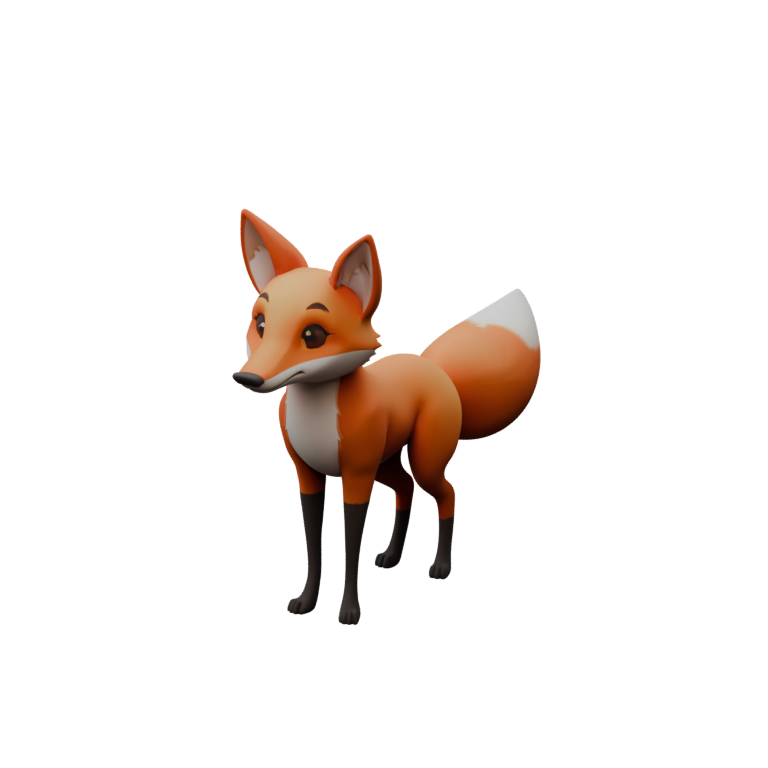
Generate, pose, export, check, slice.
- 1
Decide the route
A figure, creature, prop or vehicle with a real back and sides is a full model: use the generator. A logo, plaque or backlit portrait lives on one face: use the free relief or lithophane converters instead and skip the credits.
Relief vs model - 2
Generate and inspect
Upload the image or describe the subject. Compare the seven rendered views with the input, looking hardest at the underside and the inferred back, because those surfaces will be printed.
25 credits for the mesh - 3
Pose with the rig, optionally
Add a rig (10 credits) and the studio’s STL export writes the current pose. Scrub a described motion or a preset to a frame you like, then export: a posed figurine without sculpting.
Rigging a quadruped - 4
Check before slicing
Open the STL in the free checker. Read shells, boundary and non-manifold edges, winding, signed volume and millimetre bounds. Fix or accept, then set the real size in your slicer.
STL checker
What the export contains and what it does not.
The studio writes binary STL of the current pose, geometry only, in your browser; nothing is re-uploaded and nothing is charged. STL has no colour, no texture and no units, so the file carries the model’s scene size and slicers assume millimetres. Generated characters use normalised dimensions, so read the reported size in the STL checker or your slicer and scale deliberately: a 1.8 m character is an 1,800 mm print at scale 1.
A posed export bakes the skin deformation of that frame into the surface. That is what makes a posed figurine possible from a rigged model, and it is also why you should inspect the joints in the pose: a knee that pinches in the deformation report will pinch in the print. Rest pose is the safest export when in doubt.
A model with separate parts, such as a rider and a mount, exports as several shells. That can be correct. What needs attention is a boundary edge on what should be a closed surface, a non-manifold edge, or an inside-out verdict, all of which the checker reports from the actual triangles rather than the preview.
Bake3D does not repair meshes, check wall thickness against your nozzle or resin, or know your build volume. It converts and measures. Use your slicer’s layer view and a repair tool where the report says one is needed. A successful generation or conversion is not a printability certificate, and Bake3D does not claim that every model prints without repair.
The browser tools that surround the print workflow.
- From pictures
- Image to STL: closed heightmap relief, mm, Z up
- JPG to STL: backlit lithophane with minimum thickness
- From models
- GLB to STL with a scale control
- OBJ to STL with declared units and up axis
- 3MF to STL for manufacturing files
- Inspection
- STL checker: shells, edges, winding, volume, tiny triangles
- JSON report download
- Dimensions in millimetres
Every tool parses, previews and writes the file locally. No upload, no account, no credits. Images are limited to 32 MiB; models to 64 MiB and 1,000,000 expanded vertices; STL tools to 2,000,000 triangles.
Where generated models and prints disagree.
- Thin parts are the usual failure: whiskers, antennae, straps and tails may be missing, fused or too thin to print. Inspect them and thicken in a modelling tool where needed.
- The far side is inferred from one view. For a print that will be handled and seen from every angle, look at all seven views before spending on the rig.
- Generated topology is triangle soup by design. Slicers do not mind, but repairs and edits are easier after a remesh in your own tool.
- Watertightness is not guaranteed. The checker tells you; it does not fix it.
- Overhangs, orientation, supports and material choice are yours. Bake3D does not slice.
What a printable model costs.
A mesh is 25 credits and a rig 10, about seventy cents together at pack rates; the rig is optional for printing and only useful if you want a posed export. STL and OBJ exports are free, as are the browser converters and the checker. Sixty free credits on sign-up cover one model and its rig, or two meshes.
Charges are made when a job is accepted and refunded on failure. Free accounts have a personal-use license, which covers printing for yourself; selling prints of generated models needs the commercial license on Pro ($24 a month) or Studio. See the pricing page for the table and the marketplaces page for licensing detail.
Questions before you start.
Can I 3D print a model generated from one image?
Often, after checks. Generate, inspect the seven views, export STL from the studio and run the free STL checker. Expect to fix thin parts and occasionally boundary edges in a repair tool, and set the real size in your slicer because generated models use normalised dimensions.
How do I get a posed figurine?
Add a rig, play a described motion or preset, pause on the frame you want and export STL. The export writes the current pose with its skin deformation baked in, so check the joints in the deformation report first.
Should I use the generator or the image-to-STL tool?
If the object has a silhouette from the side, use the generator. If it lives on one flat face, a logo or a portrait, use the free relief or lithophane converter; it is instant, free and never uploads the image.
Does Bake3D repair meshes or check wall thickness?
No. The checker reports shells, boundary and non-manifold edges, winding, volume and dimensions from the actual triangles, and the converters preserve what the destination format can hold. Repair, wall thickness and slicing stay in your own tools.
What units is the STL in?
STL carries no units; slicers assume millimetres and the browser tools write millimetres with a flat base at Z = 0 where they build geometry. The studio STL carries the scene size, so read the bounds in the checker and scale to the print you want.
Related
Generate something worth printing.
One model and its rig fit inside the 60 free credits. Export STL free, check it free, then slice.