Mixamo Alternatives for Animals, Creatures and Robots
Mixamo is free and fast, but it only works on human-shaped characters. If your character is a dog, a dragon, a spider or a robot, you need something else. This guide compares the real options by what they can rig, what they can animate and what they cost.
By the Bake3D teamUpdated 6 min read
Short answer
The best Mixamo alternative depends on your character. For humanoids, try AccuRIG 2 (free, Windows) or Auto-Rig Pro in Blender. For animals and creatures, look at Mesh2Motion (free, open source), Rigify in Blender, Tripo, Meshy or Everything Universe. For vehicles and robots, pick a tool that keeps rigid parts stiff. If you are starting from a picture, Bake3D makes and rigs the model in one step for any body type.
How we checked this: Every fact about other tools comes from that vendor's own documentation or pricing page, read on 25 September 2026 and linked under Sources. We did not run one model through every tool, so this is a feature comparison, not a quality ranking. Prices change often, so check the vendor page before you buy.
Mixamo made auto rigging easy for millions of people. You upload a character, click a few points and get a rigged model with a big library of motions. For a human character, it is still hard to beat on price, because it is free.
The catch is written in Adobe’s own FAQ. The auto rigger and the animation library are for two-legged humanoids only. Extra limbs, wings and tails may fail. So the moment your character has four legs, a tail or wheels, you need a different tool.
Why people look for a Mixamo alternative
- It only rigs humanoids. Dogs, horses, birds, spiders, snakes and cars are out.
- Its motions are for humans. You cannot put a human walk on a cat.
- It needs an Adobe ID. Adobe’s FAQ says Enterprise and Federated IDs and accounts in China cannot use it.
- It has not changed much in years. Adobe’s Mixamo FAQ and rigging help pages were last updated in September 2021.
- Some users report outages. Adobe community threads describe multi-day downtime in June 2025 and more problems later that year.
None of this means Mixamo is bad. It means it was built for one job: human characters.
Mixamo alternatives compared
Here is what each tool says it can do, from its own documentation as of 25 September 2026.
| Tool | Rigs these bodies | Animation for them | Price | Runs on |
|---|---|---|---|---|
| Mixamo | Humanoids only | Large human motion library | Free with Adobe ID | Web |
| AccuRIG 2 | Two-legged, including hoofed legs | ActorCore motions, most of them paid | Free | Windows |
| Rigify | Any body you build; starter rigs for human, cat, wolf, horse, shark | None built in; animate in Blender | Free | Blender |
| Auto-Rig Pro | Humanoids automatically; animals and spiders with limbs you place | Retargets motion from BVH or FBX | $50 full, $25 lite | Blender |
| Mesh2Motion | Human, fox, horse, bird, dragon, kaiju, spider, snake, fish | Over 170 hand-made animations | Free, open source | Web, offline |
| Meshy | Humanoid, quadruped, and a beta “Smart Rig” for creatures | 631 clips for humans; quadrupeds get a walk | Rigging is 0 credits in the web app; paid plans from $20 a month | Web |
| Tripo | Biped, quadruped, hexapod, octopod, bird, serpent, sea creature | One walk-type clip per non-human type | 20 credits per rig in Studio; plans from free to $90 a month | Web, API |
| 3D AI Studio | Biped, quadruped, bird, serpent | 12 presets at 15 credits each | Plans from $19 a month | Web |
| Everything Universe | Humans, four-legged animals, insects, birds, fish, snakes, vehicles in parts | Its own motion library | Free tier with 1 download; paid from $30 a month | Web |
| Cascadeur | Needs a model that is already rigged and skinned | Physics-based posing; quadrupeds on Pro | Pro is $49 a month | Desktop |
| Bake3D | Any body plan: legs, wings, tails, tentacles, fins, wheels | Presets fit to the rig, plus motions you describe in words | 25 credits per rig; 70 free credits to start | Web, API, MCP |
Two notes on this table. Everything Universe is the new name of Anything World, since November 2025. And Bake3D does not rig a model you upload. It makes the model from a picture or a text description, then rigs it.
The best Mixamo alternative for each kind of character
Humans and humanoids
If you only need a better human rig, stay close to Mixamo’s style.
- AccuRIG 2 is free, rigs hands and fingers, and accepts A-pose, T-pose and scanned poses. It runs on Windows.
- Auto-Rig Pro places humanoid bones for you inside Blender and exports FBX and glTF with presets for Unity, Unreal and Godot.
- Meshy and 3D AI Studio also rig humanoids, with larger preset libraries.
Dogs, cats, horses and other four-legged animals
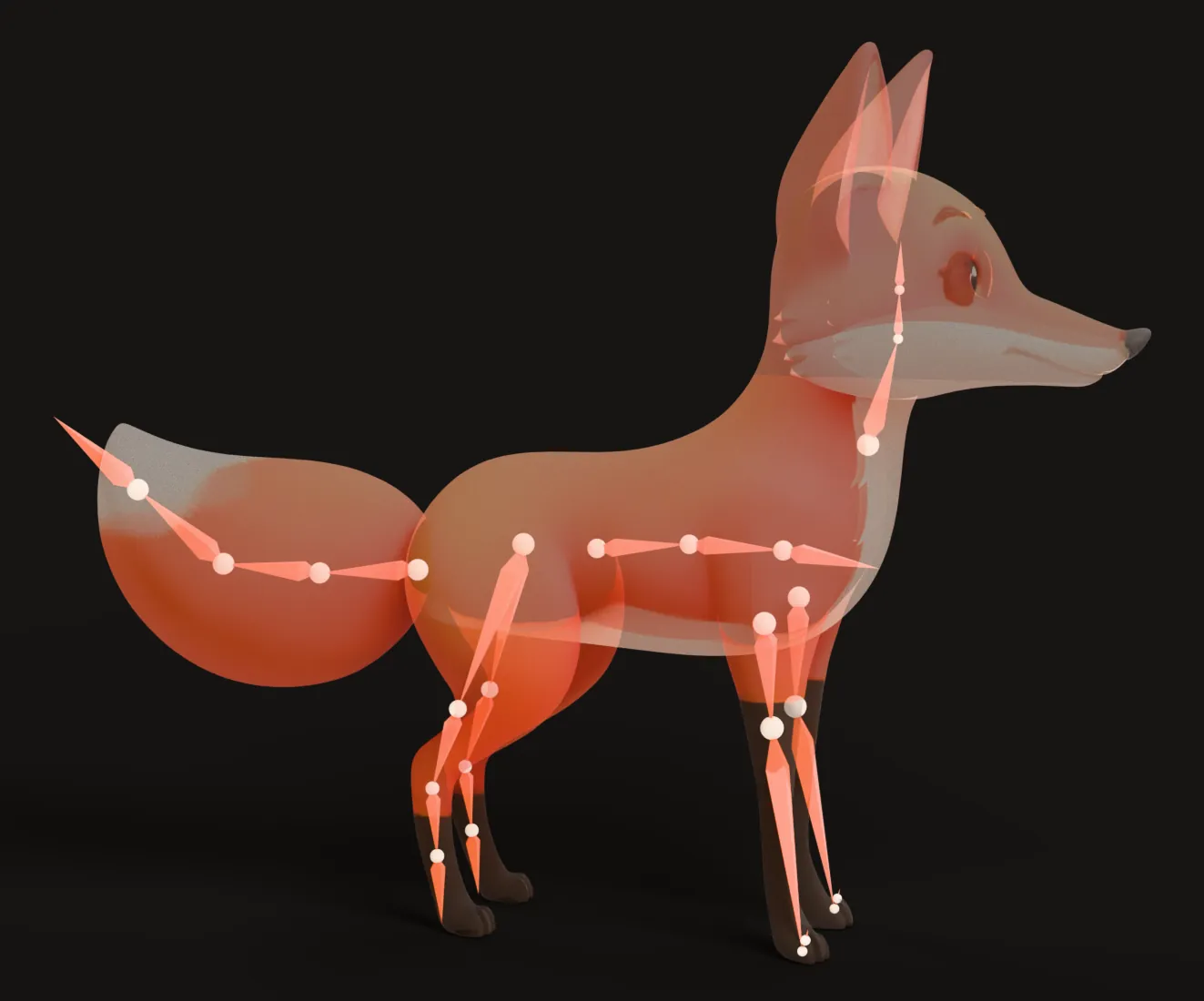
- Rigify ships cat, wolf and horse starter rigs. You fit the bones by hand, then bind with Blender’s Automatic Weights. It is free and gives you full control.
- Mesh2Motion has fox and horse templates and runs in your browser.
- Meshy, Tripo and 3D AI Studio rig quadrupeds from an upload. Check the animation side. Meshy says quadrupeds only get a walk, and Tripo lists one walk clip for them.
- Bake3D fits walk, trot, run and jump to the rig’s own legs, and you can describe other motions in words. Read how four-legged animals walk to judge any of these results.

Birds and dragons
- Mesh2Motion has bird and dragon templates.
- Tripo lists a bird body type.
- Bake3D labels wing chains, so a flap or a glide can be applied to them. It has a Flap (hover) preset.
Spiders and insects
- Tripo lists hexapod (six legs) and octopod (eight legs) body types.
- Mesh2Motion has a spider template.
- Everything Universe lists ants, beetles, spiders, scorpions and crustaceans.
- Bake3D walks any number of legs, using a wave from back to front so neighbor legs never lift together.
Snakes, fish and tentacles
- Mesh2Motion has snake and fish templates.
- Tripo lists serpent and sea creature types.
- Bake3D has Slither and Swim presets and treats tentacles and fins as their own chains.
Robots, vehicles and props
Most auto riggers skin everything softly, which makes metal bend like rubber. For machines, you want rigid parts that turn around hinges and axles.
- Everything Universe splits vehicles into parts, like wheels, instead of skinning them.
- Bake3D keeps rigid parts stiff and can roll wheels.
- Meshy’s documentation says props, buildings and vehicles cannot be rigged there.
- For full control, rig machines by hand in Blender with one bone per moving part.
What to check before you choose
- Can it rig your body type? Check the actual list, not the marketing headline.
- Can it animate that body type? Many tools rig creatures but only give them one walk.
- Can you upload your own model? Some tools only rig models they create.
- Which formats come out? FBX suits Unity and Unreal. GLB suits the web, Godot and Blender. See GLB to FBX if you need to switch.
- What is the license? Free tiers often limit commercial use. Meshy’s free plan, for example, uses a CC BY 4.0 license, and Tripo’s free plan is for non-commercial use.
- What does one rig really cost? Add up the rig, the animations and any exports.
Is Mixamo still worth using?
Yes, for human characters. It is free, quick and its motions are royalty free under Adobe’s FAQ. Many teams use Mixamo for humans and a second tool for everything else.
If you use it, keep a local copy of your rigged characters. Adobe’s FAQ says Mixamo only stores the last character you uploaded.
How we compared these tools
We read each vendor’s own documentation, help center and pricing page on 25 September 2026. Where a vendor’s pages disagree with each other, we used the more specific or more recent one. We did not run the same model through every tool, so the table shows what each tool says it supports, not how good the results are. If you spot something out of date, email us and we will fix it.
For how auto riggers work under the hood, read auto rigging explained. If you want to try the Bake3D route, the image to 3D page shows the full workflow, from one picture to a rigged, animated model.
Questions people ask
Is Mixamo still free in 2026?
Yes. Adobe's Mixamo FAQ says it is free for anyone with an Adobe ID, with no Creative Cloud plan needed. The FAQ also says characters and animations are royalty free for personal and commercial projects.
Does Mixamo work on animals or quadrupeds?
No. Adobe says the Mixamo auto rigger and animation library are for two-legged humanoids only. It also warns that extra limbs, wings and tails may not work.
What is the best free Mixamo alternative?
For humans, AccuRIG 2 is free on Windows. For animals and creatures, Mesh2Motion is free and open source, with templates for a fox, a horse, a bird, a dragon, a spider, a snake and a fish. Rigify in Blender is free and very flexible, but you place the bones yourself.
Can I put Mixamo animations on a dog or a horse?
Not directly. Mixamo motions are made for a human skeleton. A dog has four legs that bend in different places, so it needs animal motions made for its own rig.
Is AccuRIG better than Mixamo?
AccuRIG 2 runs on your own computer, handles hands and fingers, and works with poses beyond the T-pose. It also rigs only two-legged characters, and it only lets you apply motions from Reallusion's ActorCore library, where most motions are paid.
Sources
About this guide
Written and kept up to date by the Bake3D team. We build a tool that turns one image into a textured, rigged and animated 3D model, and we test the steps in our guides on our own files. First published . See how we write and check guides, or send a correction to hello@bake3d.ai.
Keep reading
Rigging
Auto Rigging: How to Rig a 3D Model Automatically
How auto rigging tools place bones and skin weights for you, which body types they can handle, and how to check an auto rig before you animate.
Animation
Quadruped Walk Cycle: How Four-Legged Animals Walk
The footfall order of a dog, cat or horse walk cycle, with timing you can copy. Also covers the trot, the gallop and six- and eight-legged walks.
Blender
How to Rig a Character in Blender
Rig a character in Blender step by step. Compare hand-placed bones, Rigify and auto rigging, then fix bad weights and export a clean rig.